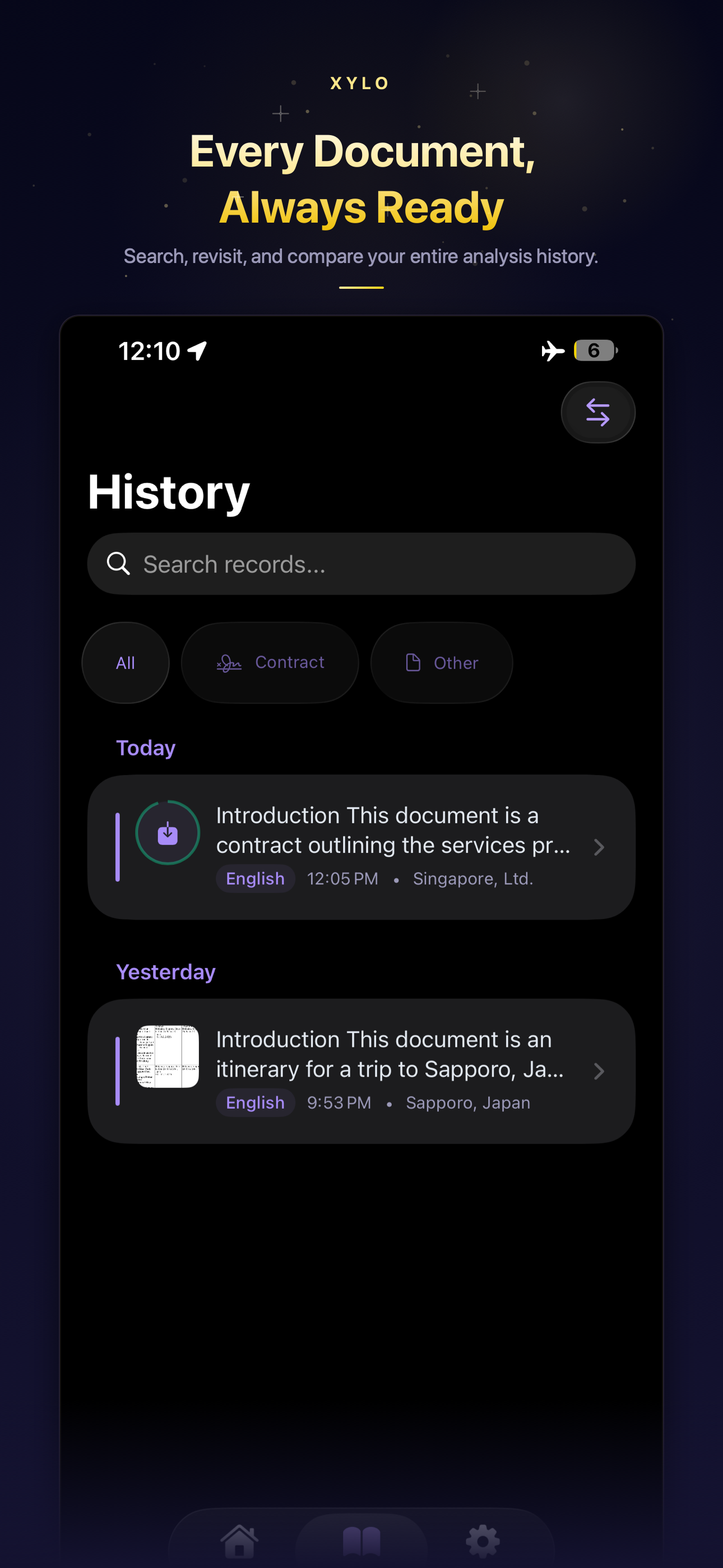
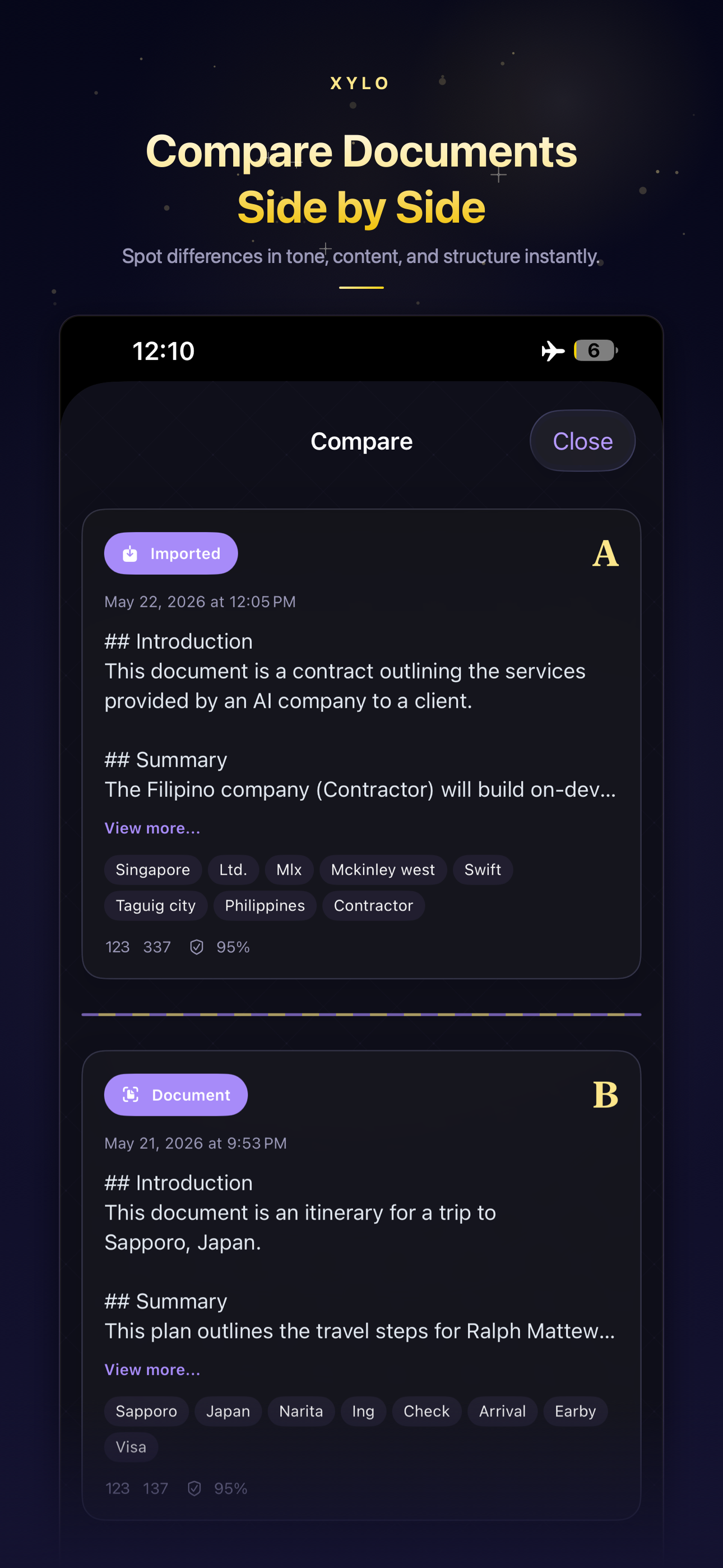
Powered by On-Device AI

Scan. Understand. Ask.

Scan documents, record audio, or upload files — then chat with your content using on-device AI. Works entirely on your iPhone or iPad — no internet, no cloud, no data collection.
Free on the App Store. No cloud. No accounts. 100% offline.

Download Free
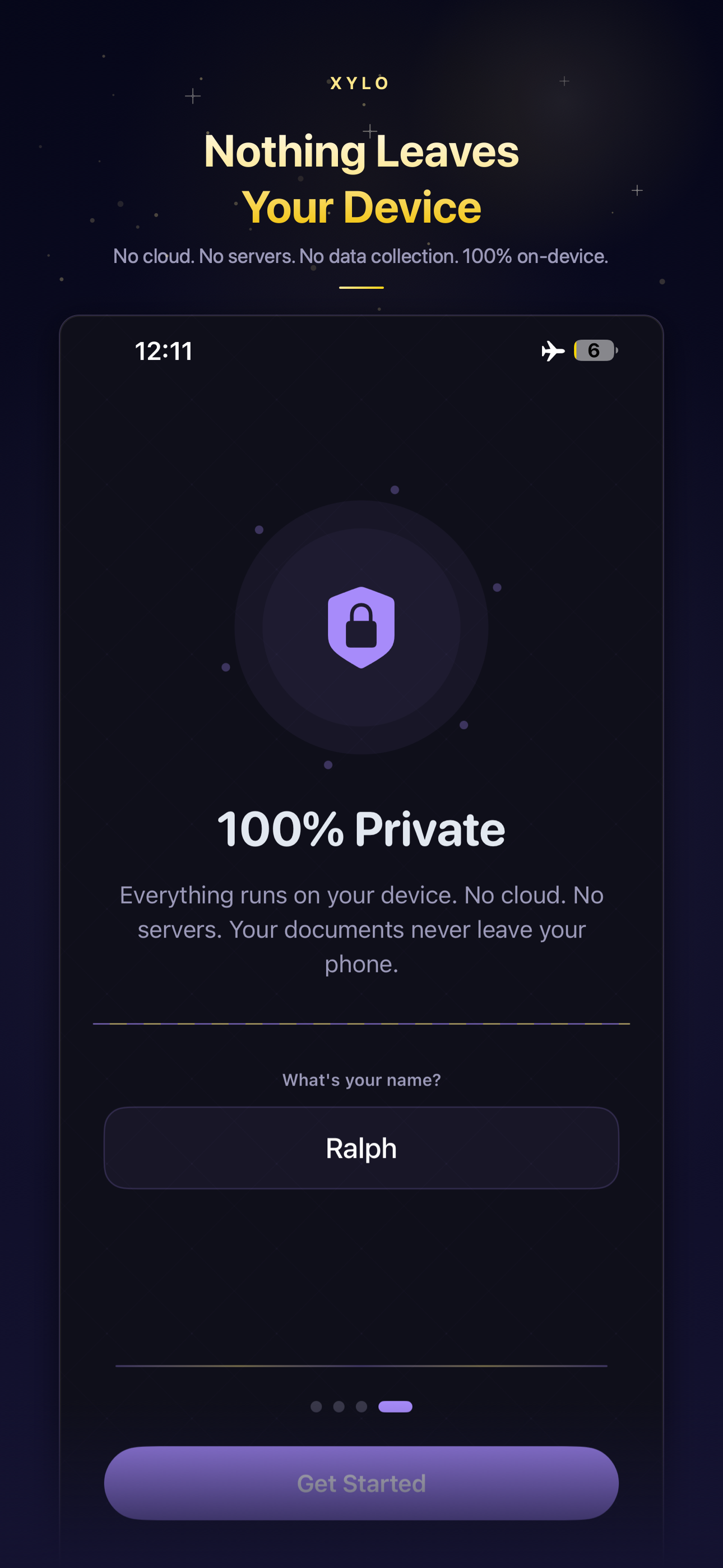
Works in Airplane Mode
Free
To Install
0
Cloud Requests
100%
On-Device
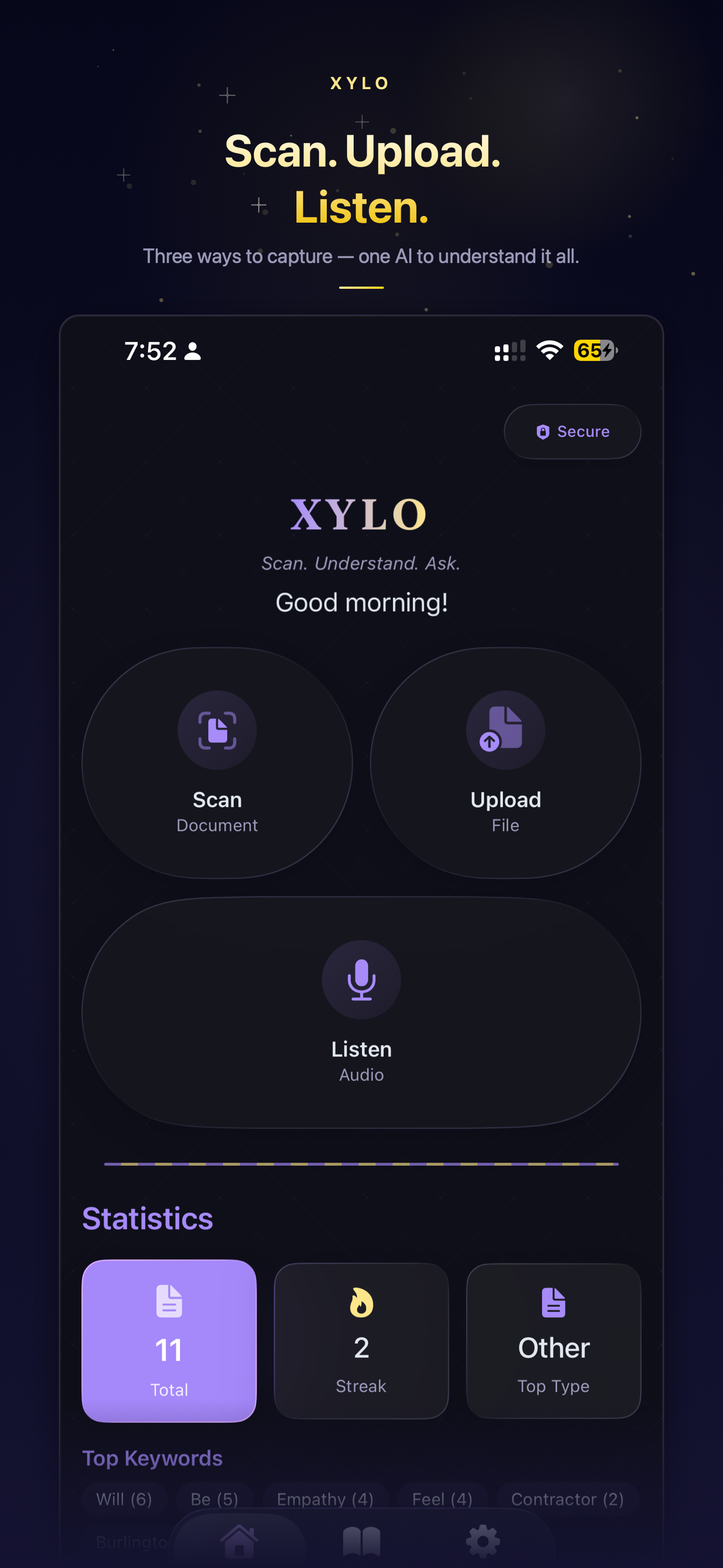
XYLO App Interface

Powered by Apple IntelligenceGemma 4 EdgeApple VisionOn-Device AI

Documents hold answers. Getting to them shouldn't be hard.

Reading through contracts, reports, and papers wastes hours. XYLO gives you instant insights and answers.

Dense Documents

20-page contracts to find specific clauses

Hidden Information

Key details buried in complex reports

Time Pressure

Need to understand documents in minutes, not hours

Privacy Concerns

Sensitive documents can't go to cloud AI

The XYLO Difference

From hours of reading to seconds of answers

Without XYLO
  • 3+ hours reading a 40-page contract
  • Manual Ctrl+F for every question
  • Upload sensitive docs to cloud AI
  • No internet = no access
With XYLO
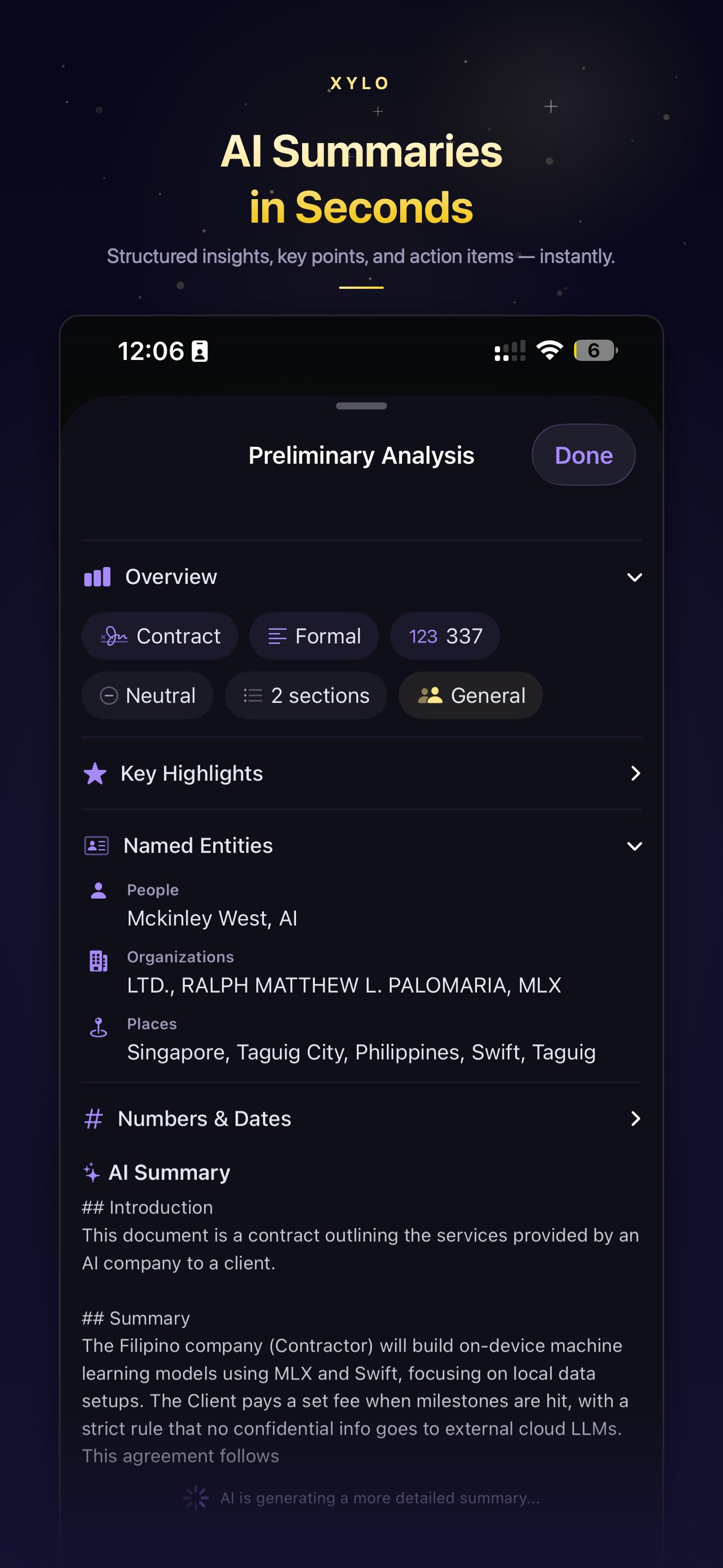
  • Seconds to get AI summary & key points
  • Just ask in natural language
  • Everything stays on your device
  • Works offline, anywhere

Three steps from document to conversation

1

Capture

Scan, upload PDF, or record audio

2

Analyze

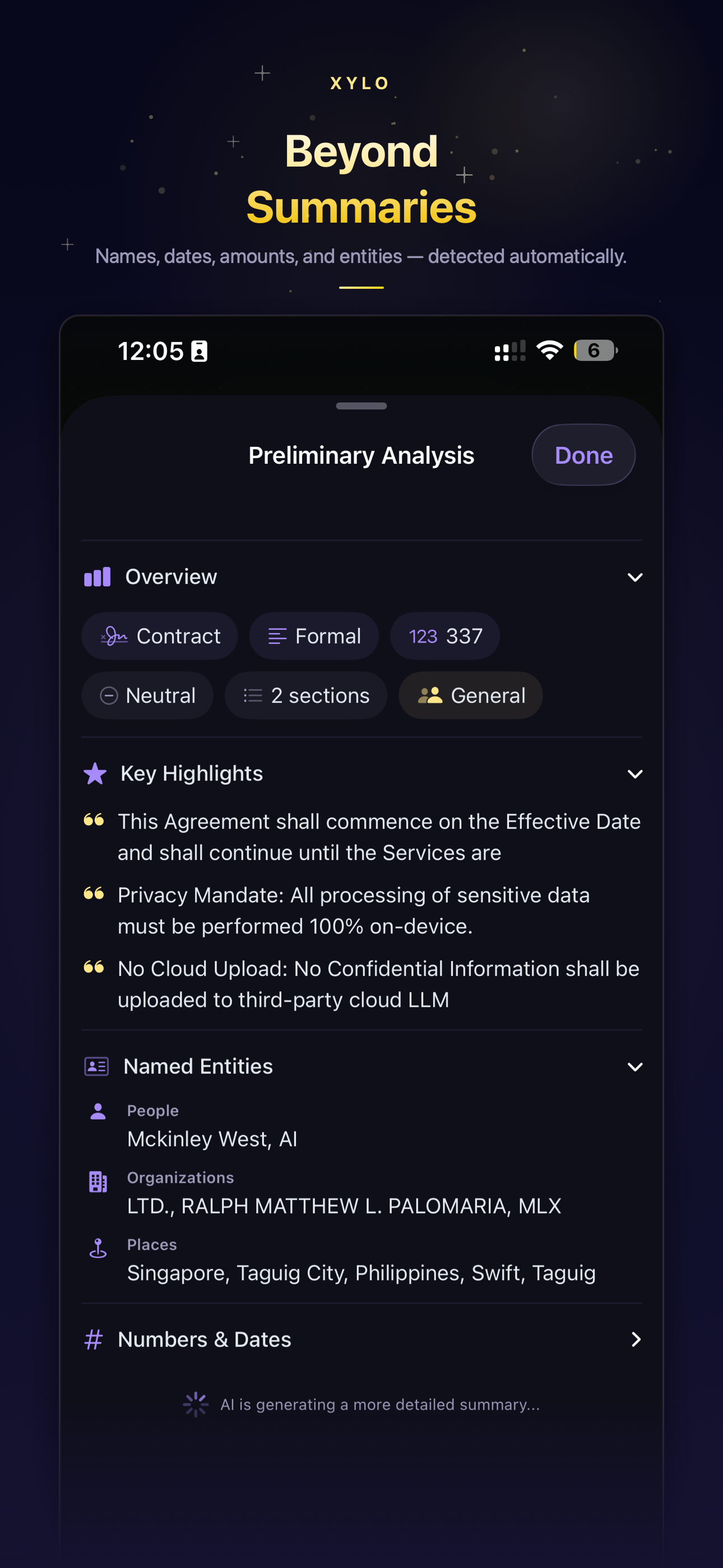
AI extracts summary, key points, entities

3

Chat

Ask any question about the document

See It In Action

Real use cases. Real workflows.

From contracts to research papers—XYLO handles it all

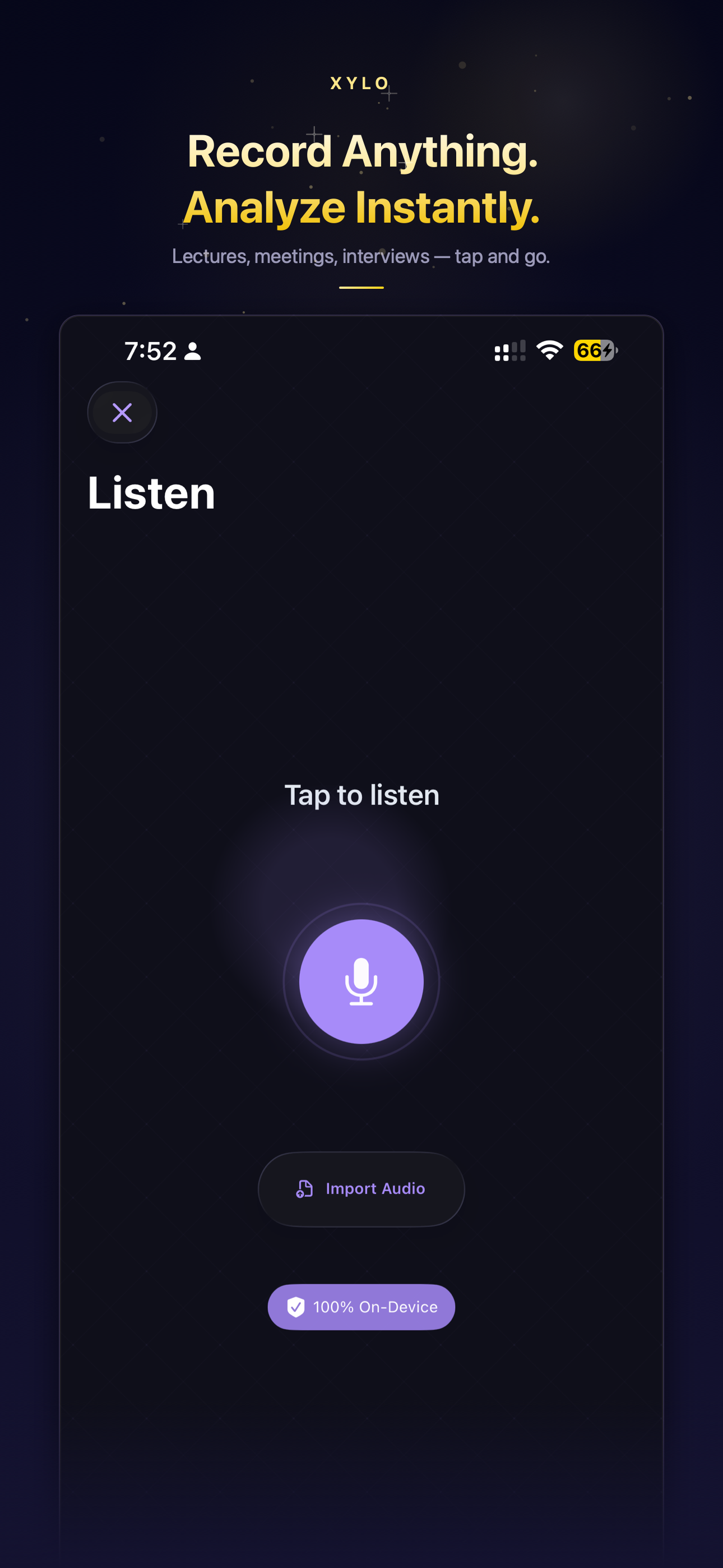
Audio Recording Interface
New Feature

Record audio. Get instant insights.

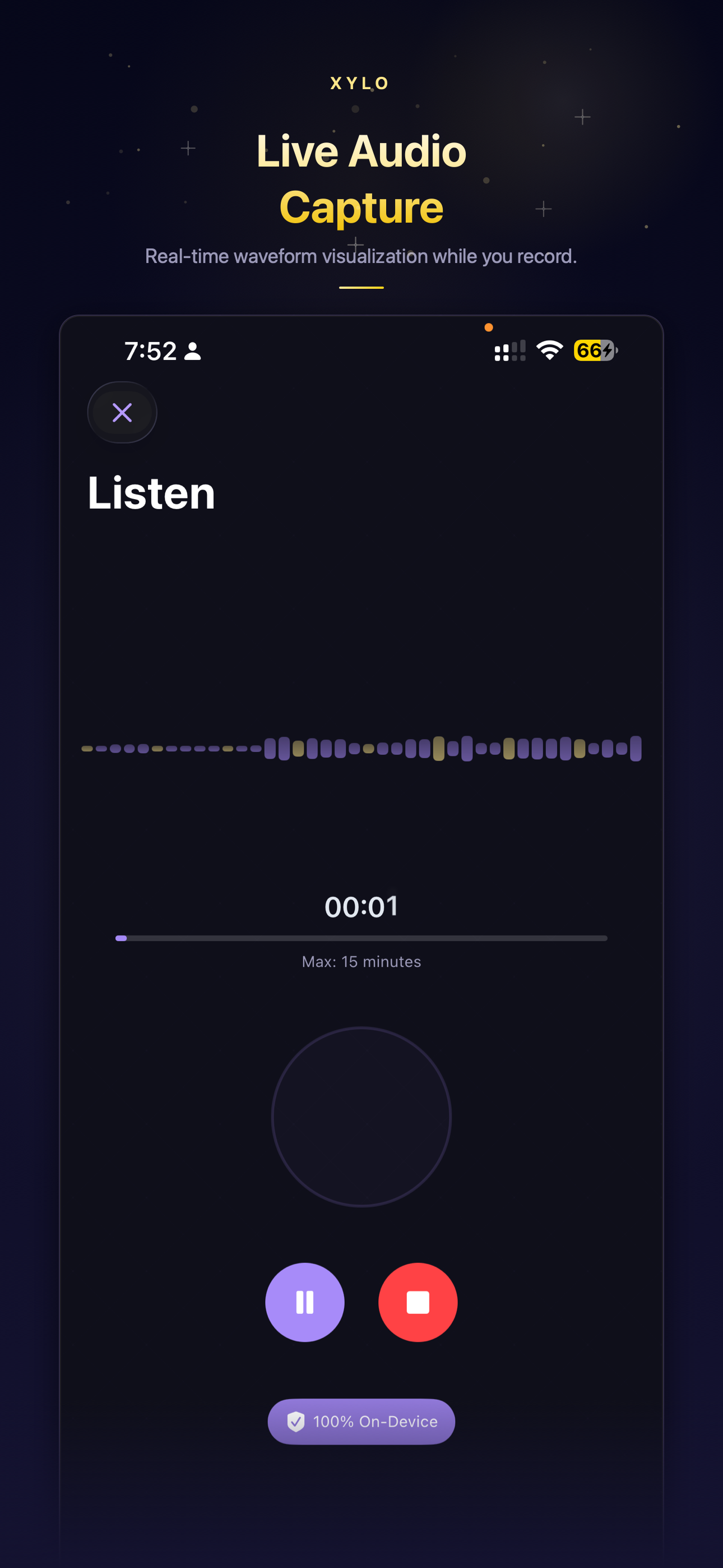
Capture lectures, meetings, interviews, or voice memos. XYLO transcribes audio on-device using Apple Speech Recognition, then analyzes the full transcript with AI.

Live Waveform

Visual audio feedback while recording. Pause, resume, and monitor levels in real time.

Chat with Transcripts

After transcription, ask questions about the recording just like any document. All on-device.

100% On-Device

Audio never leaves your phone. No cloud uploads, no third-party APIs, no recordings stored externally.

Also on iPad

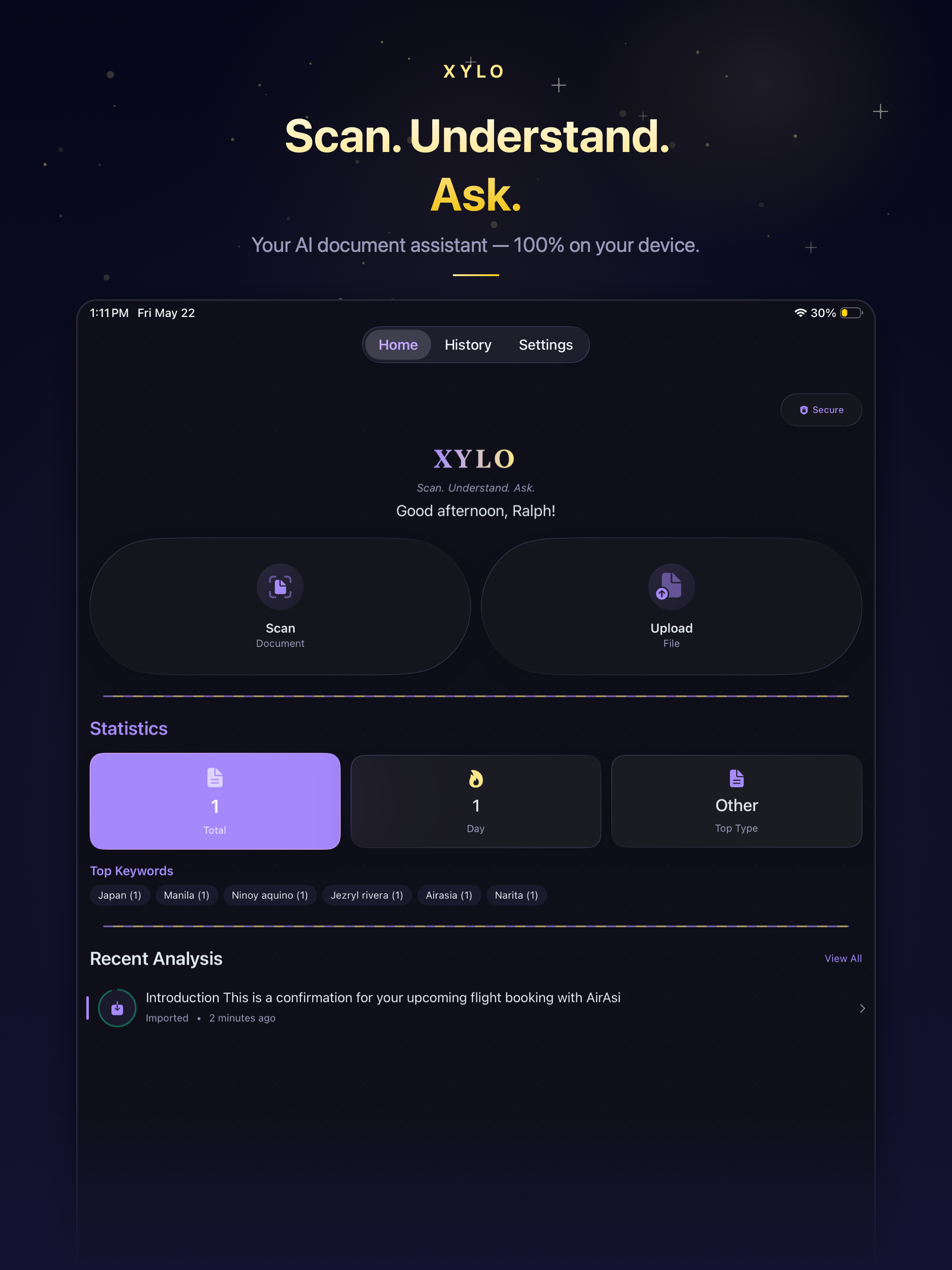
Full power on the big screen

The same on-device AI, optimized for iPad's larger display. Review documents, chat with your files, and compare side by side—with room to breathe.

XYLO on iPad — Dashboard
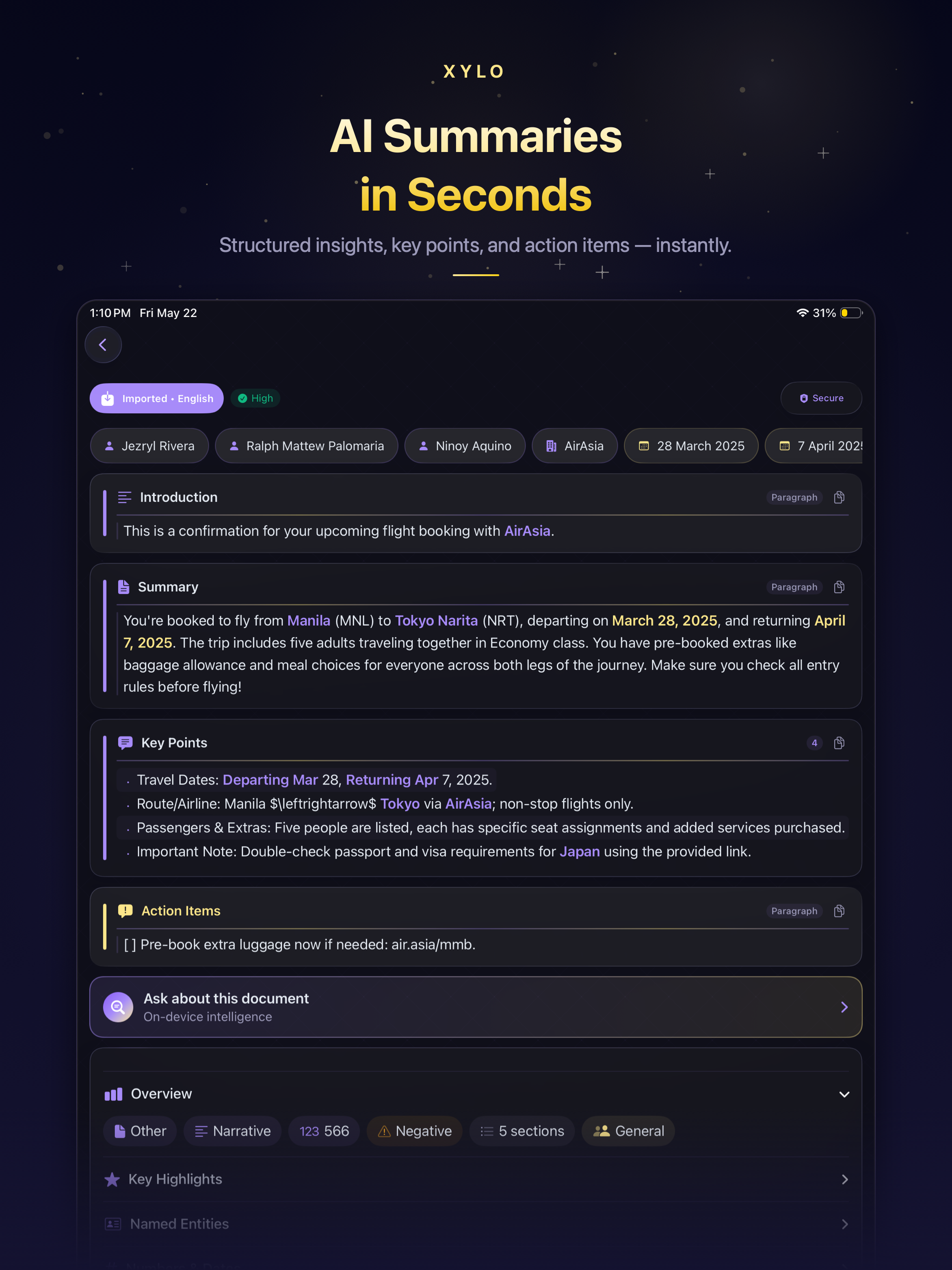
XYLO on iPad — AI Summaries
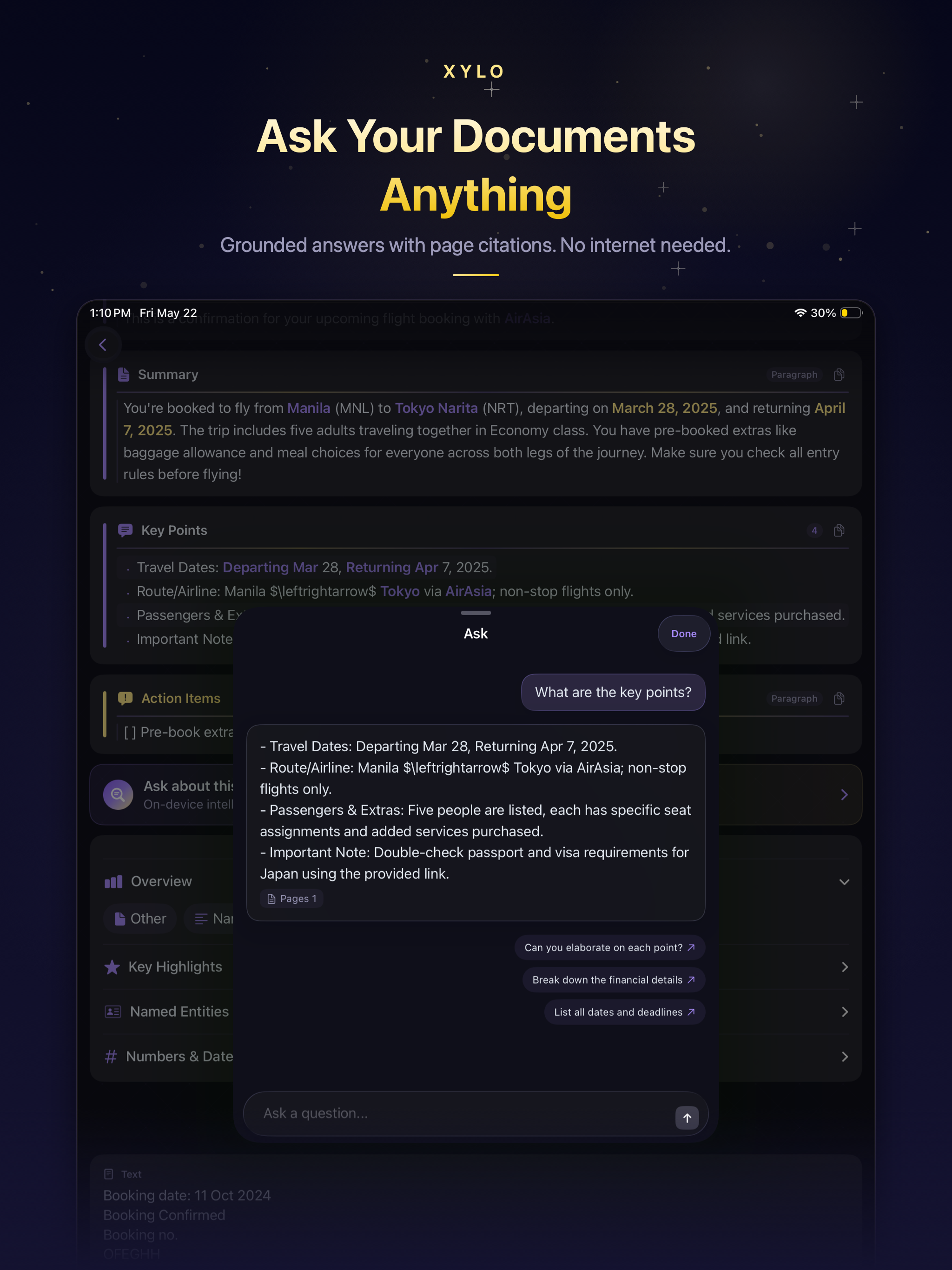
XYLO on iPad — Document Chat
Hero Feature

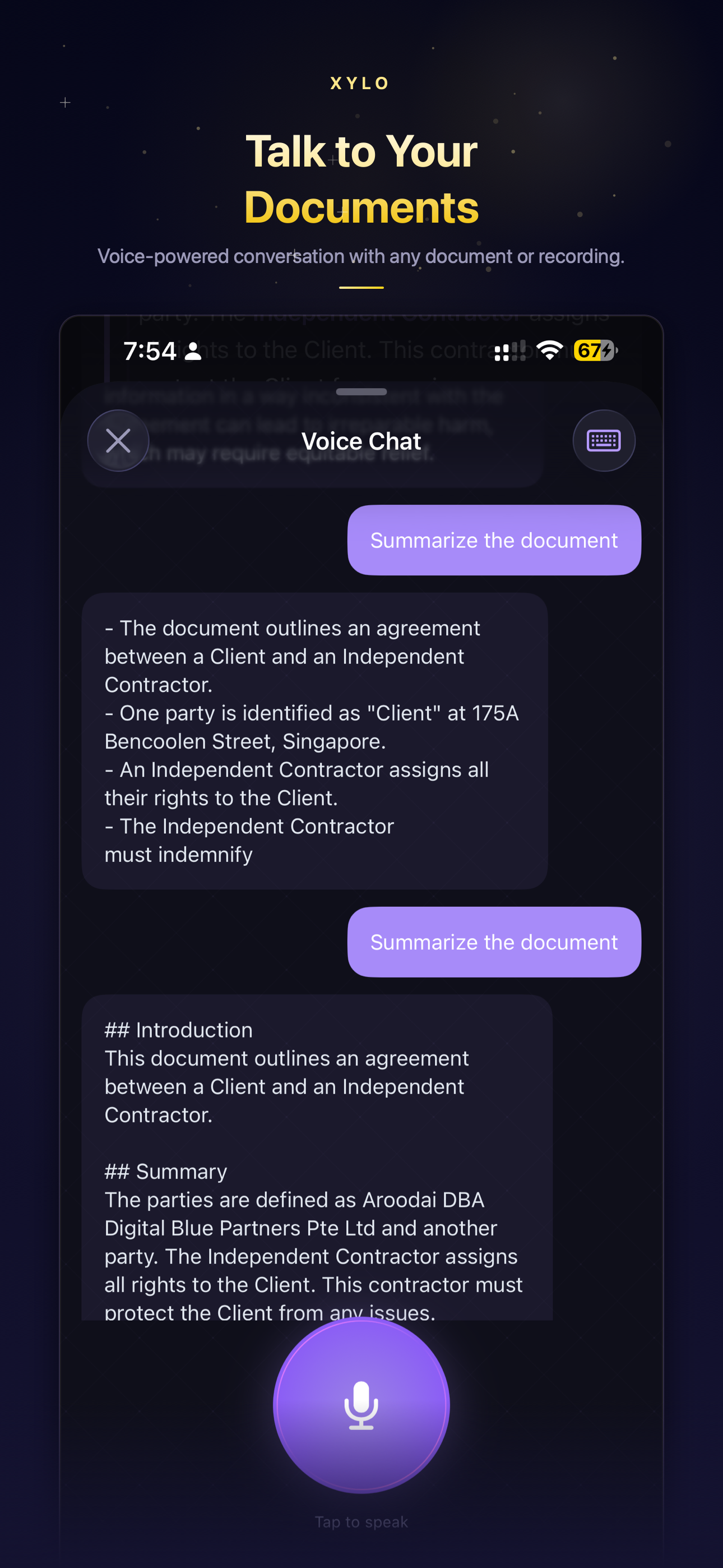
Have a conversation with your documents

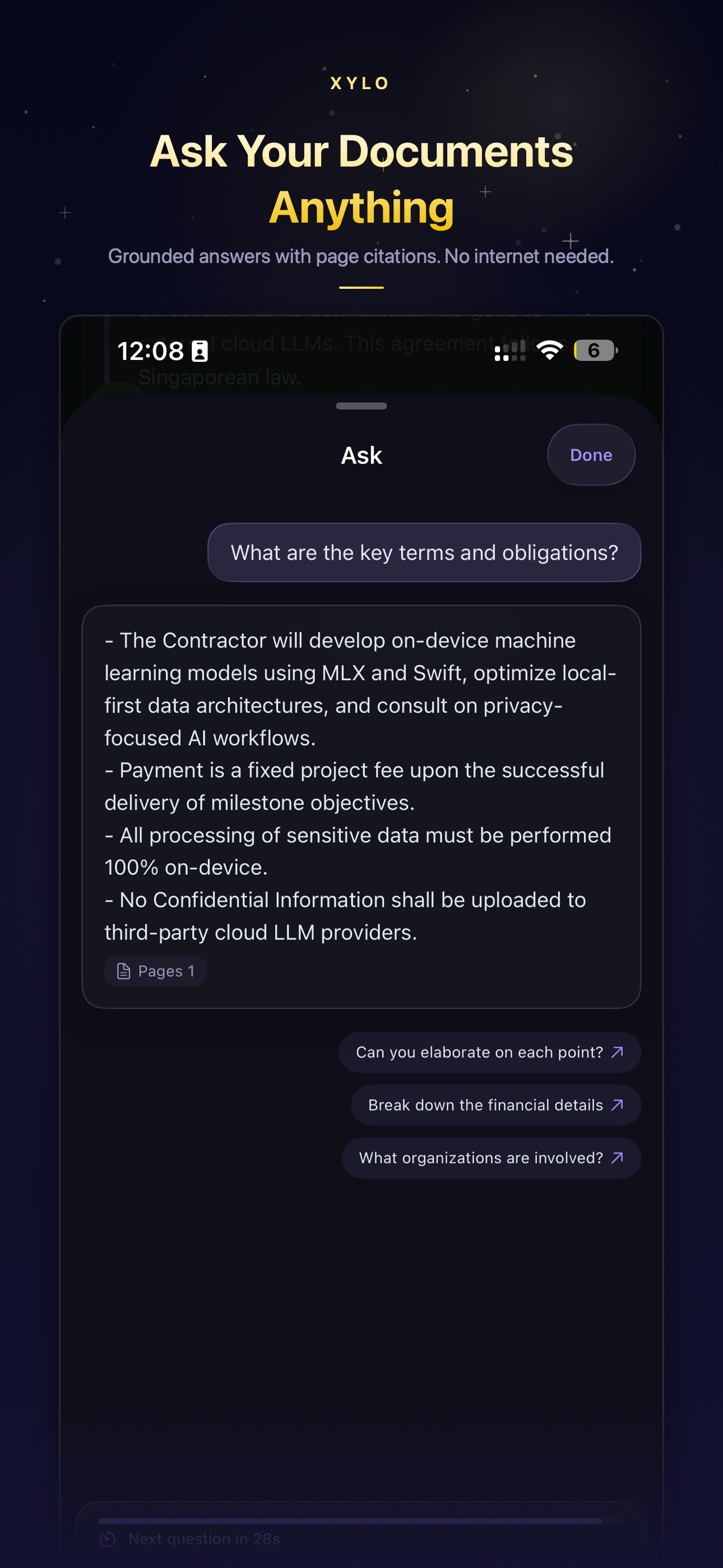
Ask anything about your documents — by text or voice. Get cited answers. All on-device.

Document Chat Interface

Ask in natural language

No more Ctrl+F through 40-page contracts. Just ask "What are the key deadlines?" or "Who are the parties involved?" XYLO finds the relevant sections and gives you an accurate, cited answer.

"What is the penalty clause?"

"Summarize Section 3 for me"

"Extract all dates and amounts"

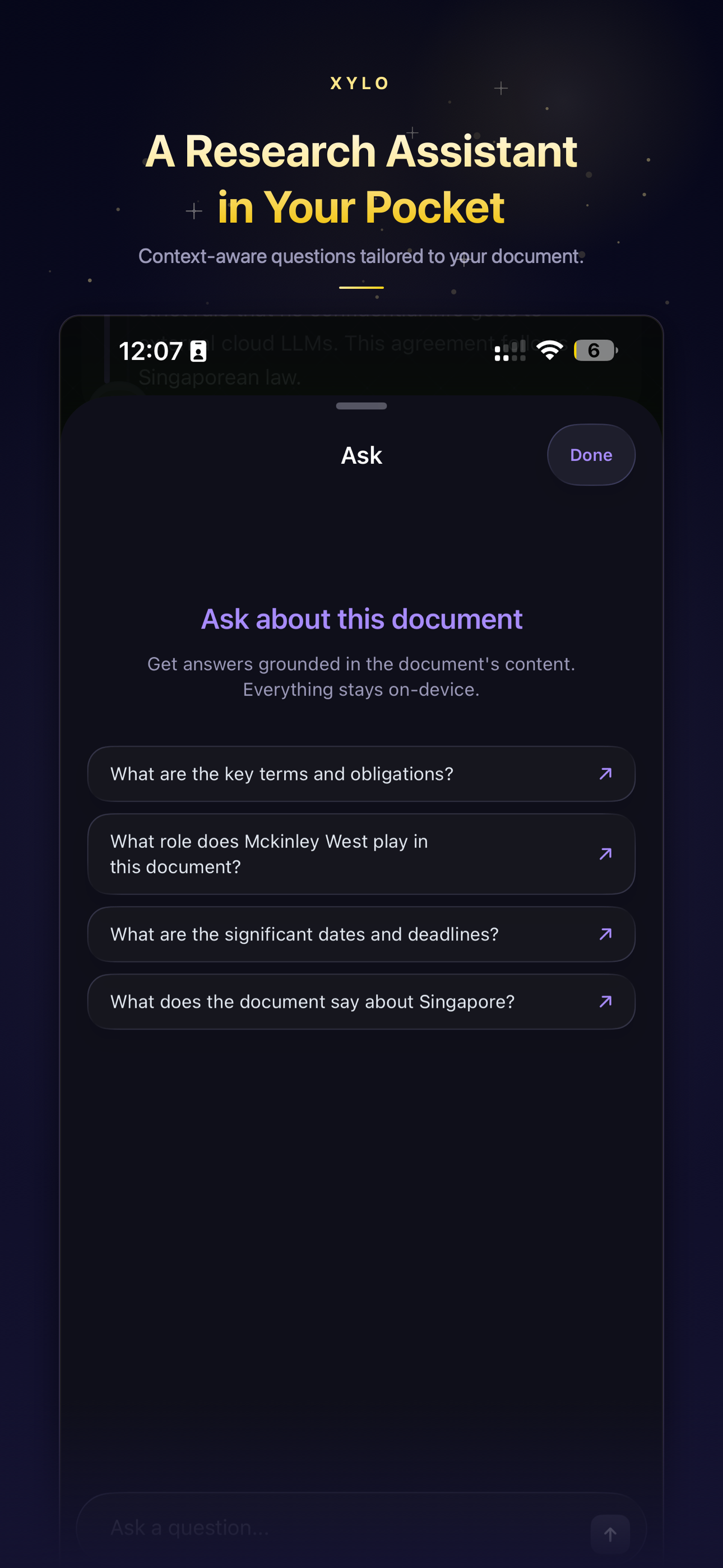
Smart follow-up suggestions

XYLO analyzes your document's content and suggests relevant follow-up questions. Keep the conversation flowing naturally—the AI anticipates what you might want to know next.

  • Contextual questions based on document type
  • Entity-aware suggestions (names, dates, amounts)
  • Conversation history saved—pick up where you left off
Smart Suggestions

Everything you need in one app

Document Chat

Ask anything. Get cited answers. No more searching through pages—just ask "What are the key deadlines?" and get the answer with page citations instantly.

Hero Feature

100% Private

Zero cloud uploads. Zero tracking. Your sensitive documents never leave your phone. Don't trust us? Check iOS network monitor—you'll see zero requests.

Structured Summary

Get the gist in seconds. XYLO generates an introduction, summary, key points, and action items — all structured and organized automatically.

Smart Extraction

Spots names, dates, amounts—the important stuff. No manual highlighting needed. XYLO finds what matters.

Offline & Fast

Works on planes, in basements, anywhere. Apple Intelligence devices need no download at all. Others finish a one-time setup, then it's fully offline.

Audio Recording

Record lectures, meetings, or interviews. On-device transcription with live waveform, then AI analysis of the full transcript.

Any Document Type

Contracts, reports, research papers, receipts, forms, manuals—if it's text, XYLO handles it.

Built for Professionals

Designed for people who handle sensitive documents

Legal & Contracts

Review NDAs, lease agreements, and contracts without uploading to the cloud. Ask "What's the penalty clause?" and get cited answers instantly.

Lawyers & Paralegals
Confidentiality is non-negotiable

Research & Academia

Ask specific questions about research papers instead of reading everything. Get answers with page citations—the AI shows exactly where it found the information.

Researchers & Students
Faster literature review, cited answers

Finance & Compliance

Process confidential financial documents with zero data exposure. Extract amounts, dates, and entities automatically—offline, with no server logs.

Analysts & Auditors
Zero-liability document processing
The Compliance Truth

Corporate Risk vs. Zero Liability

Why IT departments are blocking web-based AI tools

Your documents never leave your device

XYLO's AI runs entirely on your device's Neural Engine. No cloud uploads. No server logs. No API calls. You can verify with iOS network monitoring—you'll see zero outbound requests.

Verified Zero-Server Architecture

We have no servers to breach. We have no logs to leak. Your confidential contracts, financial documents, and sensitive data stay in your secure iOS sandbox—period.

Privacy Architecture

Web-Based Cloud AI Tools

  • Uploads your text/data to remote servers
  • Files may be logged, stored, or used for training
  • High corporate risk & data-leak liability
  • Requires continuous internet data/connection
  • Ongoing subscription costs for server access

XYLO Engine

  • 100% On-Device — Zero server uploads
  • Zero Footprint — No logs, no training data
  • Zero Liability — Compliant with all data policies
  • Works Offline — Airplane mode compatible
  • One-Time Purchase — No subscriptions or recurring fees

Technical Transparency

XYLO uses Apple Intelligence on supported devices and Gemma 4 Edge (Google's open-source model, Apache 2.0) as a fallback, plus Apple Vision for OCR. All processing happens in your device's Neural Engine and GPU. We never see your documents. We have no servers to breach.

Read Full Privacy Policy →
Device Compatibility

Built for Premium Apple Silicon

XYLO uses Apple Intelligence on 8 GB+ devices and a local AI model on 6 GB devices. All processing runs on your device's Neural Engine and GPU.

✓ Xylo is optimized for:

iPhone

iPhone 16 Series

16 / 16 Plus / 16 Pro / 16 Pro Max

iPhone 15 Series

15 / 15 Plus / 15 Pro / 15 Pro Max

iPhone 14 Series

14 / 14 Plus / 14 Pro / 14 Pro Max

iPhone 13 Pro

13 Pro / 13 Pro Max

iPad

iPad Pro

M1 / M2 / M4 (11" & 12.9")

iPad Air

M1 / M2 / M3 (10.9" & 13")

iPad mini

A17 Pro (7th generation)

Requires 6 GB RAM or more
Devices with less than 6 GB RAM are not supported.

Frequently Asked Questions

On devices with 8 GB+ RAM, XYLO uses Apple Intelligence — no download needed. On other supported devices, it downloads Gemma 4 Edge during setup. Either way, all analysis and chat happens locally on your device's Neural Engine. No internet needed after initial setup.

PDF uploads, camera scans, images, and audio recordings. Supports receipts, contracts, memos, reports, letters, research papers, lectures, meetings, and more. Works with any text-based document or audio content.

XYLO uses retrieval-augmented generation (RAG) to ensure answers cite actual document content. It will tell you if an answer isn't in the document.

XYLO requires a device with 6 GB RAM or more running iOS/iPadOS 26.0+. iPhone: iPhone 16/15/14 series (all models), iPhone 13 Pro/Pro Max. iPad: iPad Pro (M1/M2/M4), iPad Air (M1/M2/M3), iPad mini (7th gen, A17 Pro). On-device AI processing requires premium Apple Silicon performance.

Yes. All document processing happens on-device with zero network communication. The only network activity is a one-time model download (6 GB devices only) and optional in-app purchases via Apple. Delete the app, and all data is gone.

XYLO is optimized for English documents and questions. The AI models and analysis pipeline are tuned for English text. Audio recording supports the device's default language for transcription.

Ready to own your document AI?

Scan, upload, or record — then chat with your documents. Free on the App Store. No accounts.

Download Free on App Store